Folders#
Series can be organised into a hierarchy of folders — a tree that makes a
large catalog easier to browse. A folder is identified by a dot-separated
path (for example production.france), and a series belongs to at most
one folder. Series that have not been placed in any folder are shown as
unclassified.
Folders do not need to be created ahead of time, and an empty folder is kept until you delete it.
The folders page#
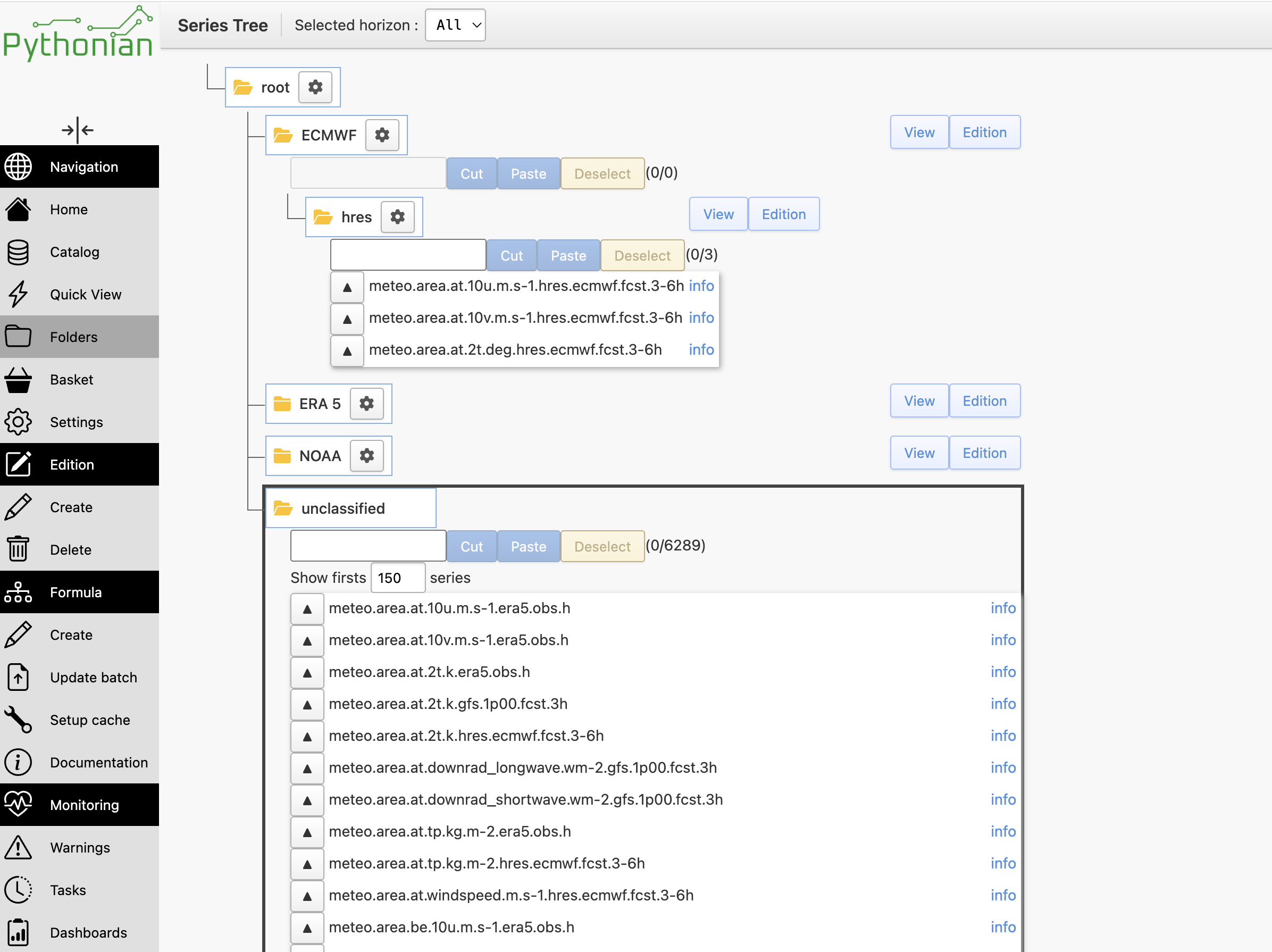
Folders live under the /folders page. It shows the folder tree on the left;
selecting a folder lists the series it contains. A special Unclassified
entry gathers every series that has no folder yet.
Managing folders and series#
- Create a folder
Add a folder under the selected node. A folder can be created empty and stays until you delete it — you do not have to place a series in it first.
- Move series (drag and drop)
Drag one or several selected series onto a folder to place them there. Moves are applied in batches, so large selections are handled in one go.
- Cut, copy and paste
Select series, use Cut or Copy, then Paste them into the target folder. This is an alternative to drag and drop for reorganising series.
- Rename a folder
Renaming a folder rewrites the whole subtree beneath it, so its sub-folders and their series move with it.
- Delete a folder
Deleting a folder (after a confirmation) removes it and all of its sub-folders. The series they held are not deleted — they simply become unclassified.
- Select and filter
Series can be multi-selected before a move or a cut/paste, and each folder’s contents can be filtered in place to find a series quickly.
- Unclassified series
The Unclassified entry lists series with no folder. Dropping a series there — or moving it out of every folder — removes its folder association.
Setting a folder from tsinfo#
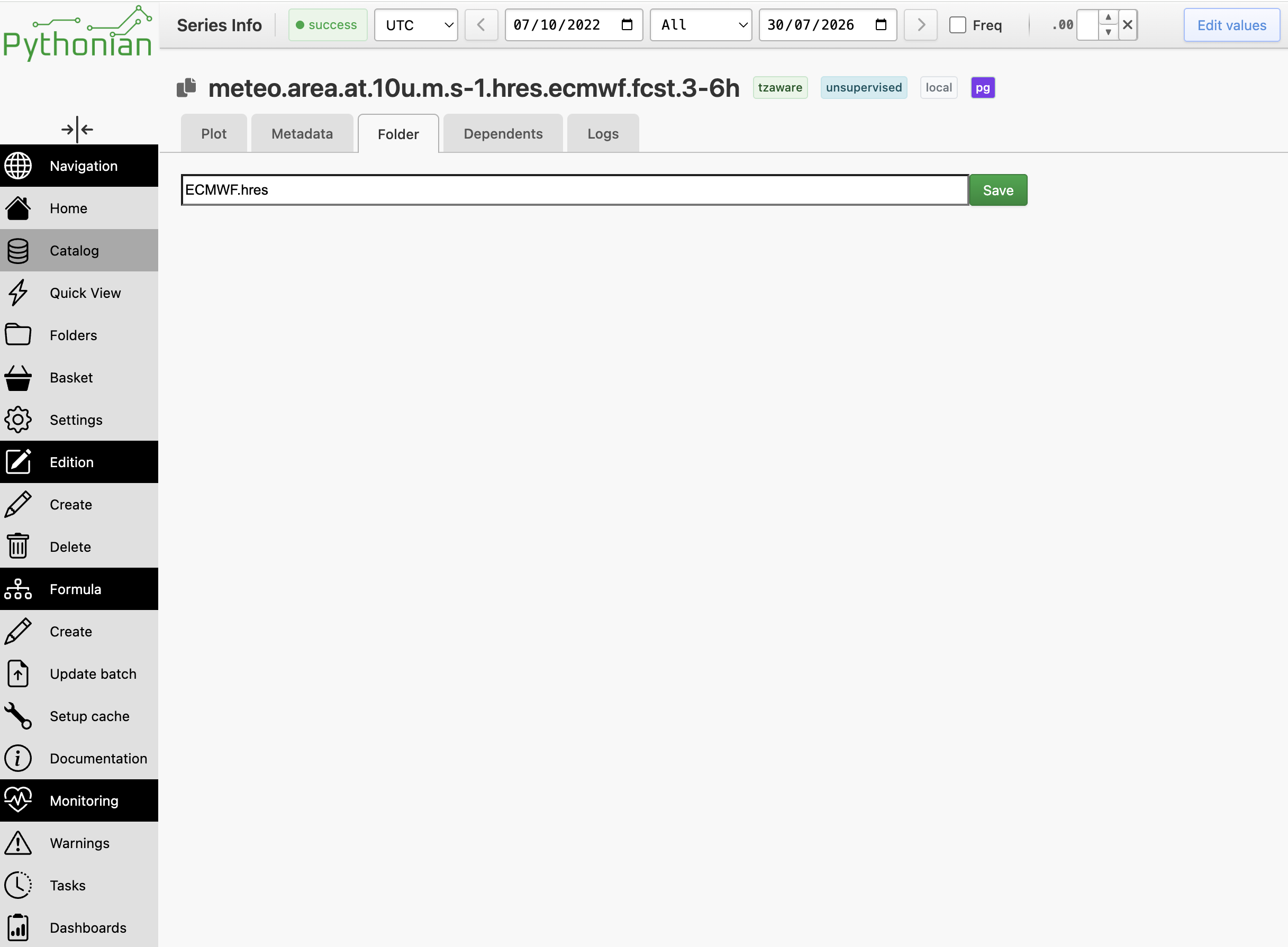
The folder of a series can also be set from its information page (tsinfo), on
the Folder tab. It shows the current folder and offers a text field to type a
new path (folder1.folder2.folder3) and save it. The target folder does not
need to exist beforehand; clearing the field removes the series from its folder.
Finding series by folder#
Folders are searchable with the query language (see Search Query Language Reference):
(by.at-path "production.france")          ;; series in this exact folder
(by.at-path "production" #:children #t)    ;; also series in sub-folders
(by.without-path)                          ;; unclassified series
Paths are dot-separated, with no leading slash. These predicates work anywhere the search language is accepted, baskets included.
Note
The same query drives the findseries formula operator, so you can build
a formula over every series in a folder without listing them. For instance
(add (findseries (by.at-path "production.france"))) sums all the series
in production.france; add #:children #t to include its sub-folders.
Programmatic access#
Folders can also be managed from the API:
from tshistory.api import timeseries

tsa = timeseries()

tsa.set_series_path('prod.plant.mw.actual.15min', 'production.france')
tsa.series_path('prod.plant.mw.actual.15min')   # 'production.france'
tsa.path_series('production.france')             # the series in that folder
tsa.tree()                                       # every folder path

tsa.rename_path('production', 'prod')            # move the whole subtree
tsa.delete_path('prod.france')                   # remove the folder
tsa.set_series_path('prod.plant.mw.actual.15min', None)  # unclassify
set_series_path places a series in a folder (creating the folder if needed)
or, with None, removes it from its folder. rename_path moves an entire
subtree, carrying its series along. delete_path removes a folder and its
sub-folders, and the series they held become unclassified — the series
themselves are never deleted.